ShowcallerMultiview Coming soon
Coming soon · Free from Showcaller Studio

Every camera in one window.

Showcaller Multiview shows the NDI cameras on your network side by side, lets you steer PTZ cameras, and takes in SRT, RTMP and YouTube streams. Free for Mac, with a Windows (PC) version coming soon.

Showcaller Multiview
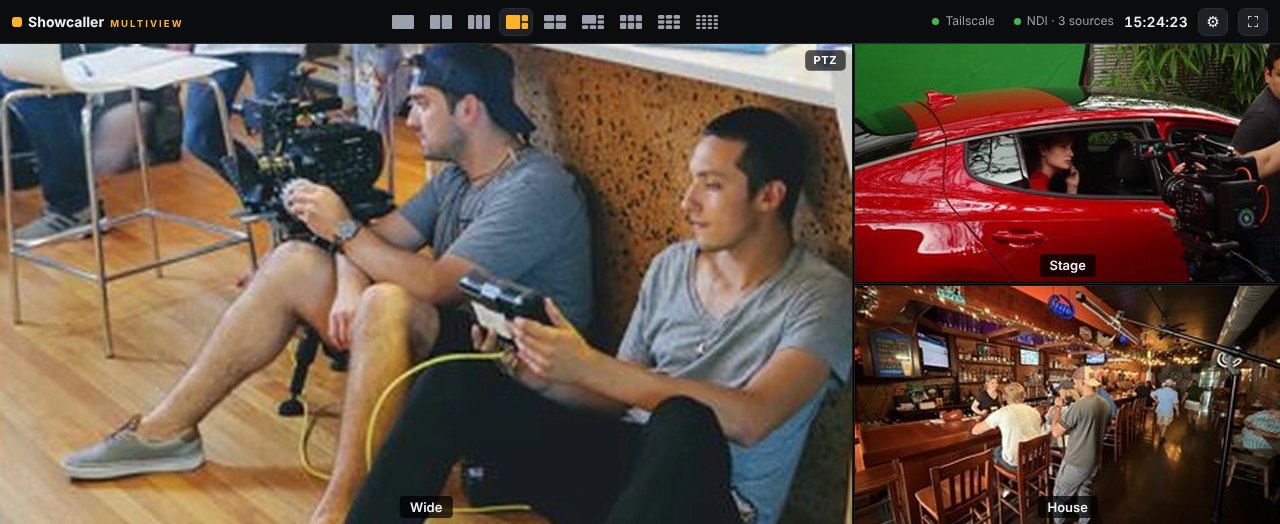
Showcaller Multiview showing three cameras: one big, two small, each with its name
What it does

A multiviewer that stays out of the way.

Pick a layout, pick the cameras.

Nine layouts from one big picture to a 4×4 grid. Click a tile to give it a camera, double-click to see it full size, Esc to go back.

  • Finds NDI sources on its own
  • Audio meters on every camera, and listen to any one
  • Light preview streams for small tiles, full quality when big
  • Names, clock and full screen
  • Remembers everything for next time
Three camera tiles in the one big plus two small layout

Steer PTZ cameras from the tile.

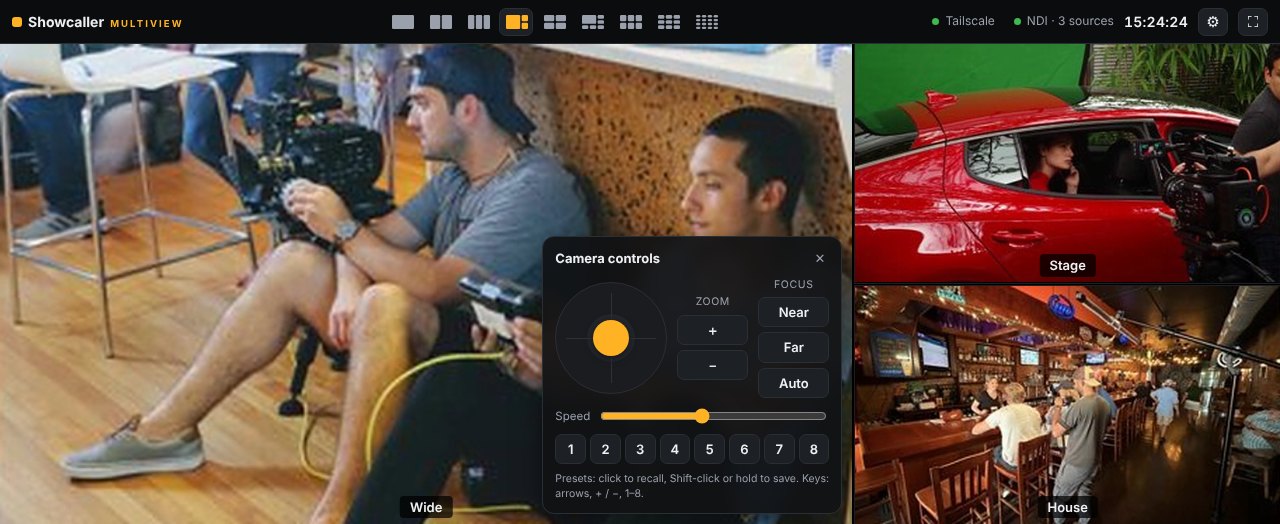
A joystick for pan and tilt, zoom and focus, a speed slider for slow on-air moves, and eight presets. Works with PTZ cameras that take control over NDI.

  • Hold to move, let go to stop
  • Click a preset to go there, hold to save it
  • Keyboard control too
The camera controls panel open over a camera tile

Streams next to your cameras.

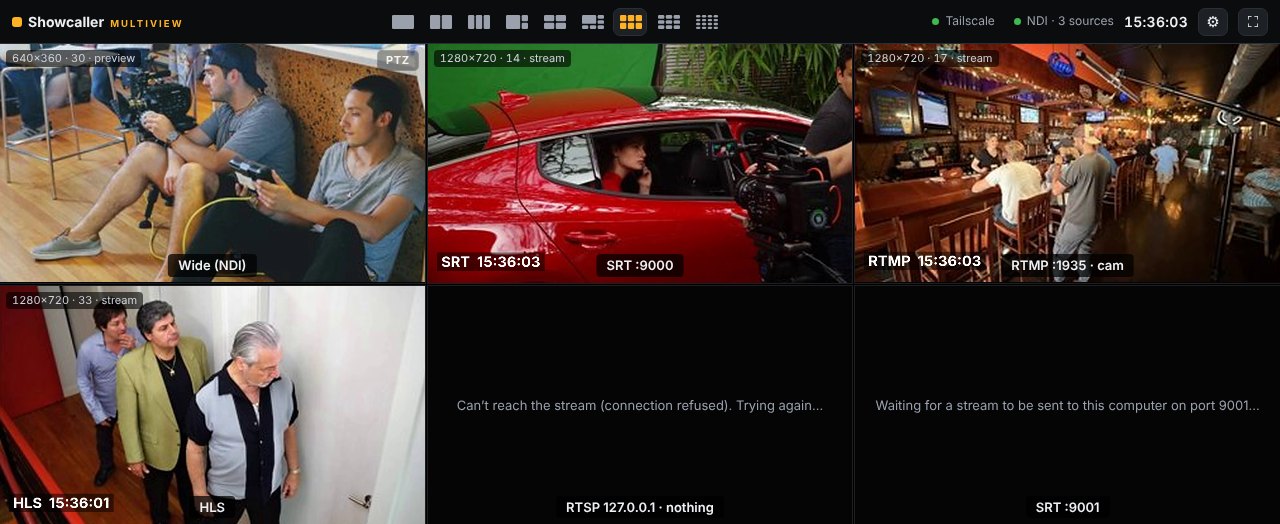
Paste an SRT, RTMP, RTSP or HLS address, or a YouTube link, and it plays in a tile. An encoder or an ATEM can send straight to it.

  • SRT and RTMP, pulled or pushed to you
  • YouTube videos and channel live links
  • Reconnects on its own
A 3 by 2 grid mixing an NDI camera with SRT, RTMP and HLS streams
Showcaller Screens license

Switch your ATEM from the multiviewer.

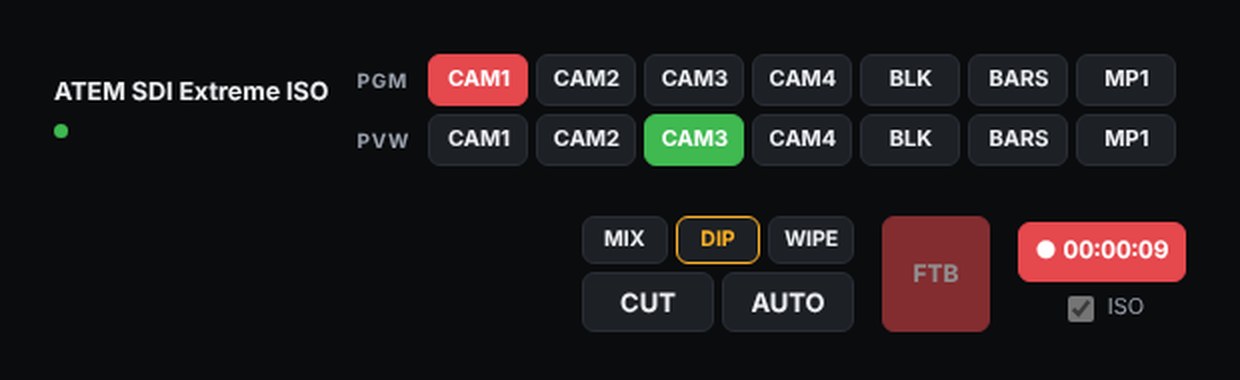
Type in your ATEM's IP address and a switcher bar appears under the tiles. Link a tile to an ATEM input and it lights red on program and green on preview. Unlocks with a Showcaller Screens license key; the rest of the multiviewer stays free.

  • Program and preview rows, cut, auto and fade to black
  • Mix, dip or wipe, plus record and ISO on the SDI Extreme ISO
  • Click a tile to preview it, Space to cut, Return for auto
The ATEM switcher bar with program, preview, cut, auto, fade to black and record buttons

Watch from anywhere

Built-in Tailscale status and invite codes, so a client can watch your cameras from home without Remote Desktop.

Light on the network

Small tiles use NDI's preview stream, so a full grid over a VPN stays smooth.

Made for sets

From the people behind Showcaller Studio, the playback system for screens on sets and stages.

What you need

Three free installs.

Showcaller MultiviewmacOS 12 or later (Apple silicon or Intel). Windows (PC) version coming soon.
NDI ToolsFree from ndi.video/tools. It lets your computer receive NDI.
Tailscale (optional)Free from tailscale.com, for watching cameras on another network.

Coming soon.

Showcaller Multiview is almost ready. Leave your email and we'll send you the download the day it's out.

We'll only email you about Showcaller apps. No spam, and you can ask us to stop any time.

Questions

Good to know.

Is it really free?

Yes, for any use. The one paid part is ATEM switcher control, which unlocks with a Showcaller Screens license key. If you need screens on a set, LED walls or projection run from one place, have a look at Showcaller Screens.

Which cameras work?

Anything that sends NDI, including NDI PTZ cameras from BirdDog, PTZOptics, Panasonic, Sony and others, plus NDI from software like OBS, vMix and Showcaller Screens. Camera control needs a PTZ camera that accepts it over NDI.

Which ATEM switchers can it control?

ATEM switchers that take control over the network, such as the ATEM Mini range, Television Studio and Constellation models, and the SDI Extreme ISO. Record and ISO buttons appear on models that record. Put the multiviewer on the same network as the switcher and type in its IP address.

Does it play sound?

Yes. Every NDI camera with sound shows a level meter on its tile, and you can listen to one tile at a time through your speakers. YouTube tiles have their own sound button. SRT, RTMP and other streams are picture only.

Can a client watch from home?

Yes, if your cameras' network is on Tailscale. Make an invite code in the app's settings and send it to them. They paste it in and the cameras appear.